In the Line of Fire: Printing New Skin With the Help of Inkjet Printers

Scientists nowadays are doing some amazing research in the field of medical rehabilitation of wounds, and burn wounds in particular. This research is being done using an ink jet printer, something that is commonplace in every household. But don’t dust your printers just yet, the inkjet printers being used here have been specially modified by scientists.
When it comes to the latest information technology news, the area of bio-printing is a relatively new field of research which involves the use of a normal desktop printer which is fitted with cartridges of cells instead of ink that are able to print out a thin sheet of human tissue instead of paper.

With this new technology, doctors will now be able to print new skin for soldiers or people with burn wounds. The reason why the army is interested in this technology is that burns account for nearly 30% of all injuries on the battlefield. That being said, the technology, which is still in the development phase, will not necessarily be exclusive to the army, but will also be available to the masses. The technology can also be extended to other individuals who put themselves in the line of fire, for instance, the police and firefighters.

The skin is our body’s most important line of defense. It is also the largest organ in our body. Our skin also helps us retain water and heat. But most importantly, it helps provide a very important barrier against various infections.

The losing of large amounts of skin causes some major problems, this is where skin printing technology comes in. Burn patients can heal a lot faster if their wounds could be covered with new skin cells. But it’s not as easy as it looks. First of all, burn wounds are normally not flat, but jagged. In those areas where the wound is deeper, a different cell type is needed. That’s because the cell type at the top is not similar to the cell type at the bottom.

Therefore, printing new skin involves mainly two types of skin cells:

1. The fibroblasts or Dermis: It makes up the deep layer of the skin, which helps produce the matrix that holds the skin cells together.

2. The other is keratinocytes or epidermis: It makes the outer layer of the skin.

According to the latest information technology news, with the help of these modified printers, scientists are now able to take samples of healthy skin cells from patients and grow them in an incubator. Once they have enough, the cells are loaded into specially designed cartridges. Using cameras, the burn wounds of the patient is scanned and a 3D map of the wounded area is created. Then the computer tells the printer where to start printing and which cells to use.

So is it Precise?

As mentioned earlier, cell printing is carried out by taking apart a normal ink jet printer and modifying it. Then human cells are placed inside the cartridges instead of ink. Now this is where things start to get interesting. Whenever a printer wants to drop ink, it sends a signal to one of the resistors in the cartridges, which then heats up the copper wire and causes a bubble to form which is roughly the size of a human cell. That’s how scientists are able to get single cell precision with the bio-printer.

The bio-printer is able to drop each type of cell specifically where it’s needed, the wound is filled, and with time, the cells go through the natural process and automatically transform into new skin.
Upgrading Your Desktop PC

Desktop PCs are one of the most easily upgraded things out there. When you buy proprietary consoles, you are stuck with the internal components until the next generation comes out. Upgrading things like consoles consists of getting nicer controllers and getting skins for the case, nothing internal can be changed. Desktop PCs can be upgraded in many different ways.

The first and easiest way to upgrade your PC is to get more ram. Ram is a temporary storage unit that your computer uses in order to run correctly. If your PC doesn’t have enough ram it may be running slower than it potentially could. However, one thing that people should always remember is the concept of a bottleneck. Having 16 gigs of ram on an old Pentium 4 is virtually pointless. The old processor is the bottleneck of the system and it won’t be able to utilize all of those gigs of ram. If you’re looking to upgrade your ram, there are a few things you should remember. If you’re using a 32 bit system, you need no more than 4 gigs of ram. 32 bit systems can only utilize 3 and a half gigs of ram (approximately). Getting 16 gigs of ram on a 32 bit system is pointless.

Another thing you should consider when upgrading ram is what type of processor you have. If you’re using a quad core (such as the i7 or even some i5’s), you need your ram in components of 3. So a great value of ram for people with quad cores is 6 gigs. You should shoot for at least 6 gigs when you have a quad core. If you have a dual or single core, then get your ram in multiples of 2. 4 gigs of ram is the mainstay at the moment. Most systems are still running 32 bit and even the 64 bit systems are too slow to utilize over 4 gigs of ram. When you buy the ram make sure that it fits your motherboard. Find out what type of motherboard you’re using, look it up, and take note at what the specs say. If you put the wrong ram in your computer you can fry the motherboard.

Another easy way to upgrade your PC is to get lg tvs. PCs oftentimes have ports that can interact with regular television sets. For example, HDMI is becoming more and more common by the day. Both computers and regular televisions are capable of receiving and transmitting through an HDMI port. HDMI ports are capable of displaying the highest resolution commercially available.

Small and Useful Desktop Clock Utilities – Systray Clock Replacements

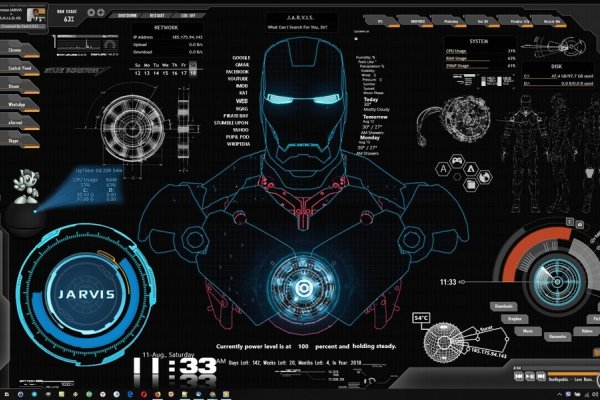
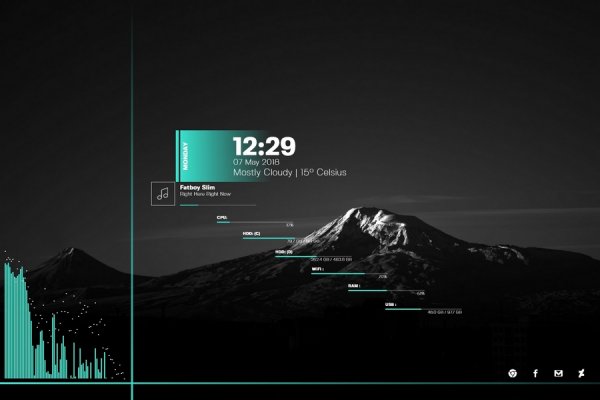
Best rainmeter skins? Are you a tour lover whose footmarks was found everywhere through the whole world? Are you tired of using the system clock on the systray that has few functions and common interface? Do you want to have a powerful and professional desktop clock that has more functions and beautiful interface? Need not to look for here and there. Here I will commend you some popular and excellent desktop clock utilities, they are: Clock Tray Skins, Sarbyx TrayClock, Qlock and Time Trek. Below are the detailed introductions of them. Now let us go and see how powerful and handy of these desktop clock tools.

Clock Tray Skins was designed as a more informative substitution for a standard tray clock on Windows desktop using different skins, over 50 skins are included in the distribution for desktop clock. Clock Tray Skins extends the standard Windows system tray clock capabilities by adding a day, date and seconds display. It supports 12 hour and 24 hour formats. The program also includes a time synchronization feature and a calendar display. Clock Tray Skins also an atomic-time synchronizer and a software alarm clock. Need a reminder to make a call, go to a meeting or just not to miss a TV program? Clock Tray Skins is a powerful customizable reminder, which can alarm us at a specific moment of time or run periodically (minutely, hourly, daily, weekly, monthly or annually).

Sarbyx TrayClock – designed as a more informative substitution for a standard tray clock on windows desktop using different skins, over 100 skins are included in the distribution for desktop clock. Sarbyx TrayClock also an atomic-time synchronizer and a software alarm clock. Need a reminder to make a call, go to a meeting or just not to miss a TV program? Sarbyx TrayClock is a powerful customizable reminder, which can alarm us at a specific moment of time or run periodically (minutely, hourly, daily, weekly, monthly or annually).

Qlock is a world clock display for our desktop, which enables us to display the current time for any major city in the world. The clock displays can be placed anywhere on our desktop, and also customized in size and color. We can also add a recurring alarm to each clock, synchronize the time with Internet time servers, choose between 12 and 24 hour formats, and attach a note to each clock. Designed for both business and home use, Qlock takes the world clock to a new level with more features, more settings and more control.

Time Trek is a simple software utility for the Mac and PC to help us keep track of our freelance or consulting projects. The key features and functions of Time Trek include: Multiple alarms, with ability to play MP3, WAV and MIDI files as alarm sounds. The Countdown/Countup timer allows us to set a date and time, and it will display the detailed year, month etc. statistics, down the last second. Time Trek can support multiple users, and supports both US and non-US time/date formats. It also includes an optional analog clock display. Great for webmasters and graphic designers and anyone that needs a simple way to record time spend on projects! Best of all… It’s free! The usage of Time Trek is very simple.

All in all, if you want to a beautiful and multifunctional systray clock, Clock Tray Skins or Sarbyx TrayClock is the best choice. Qlock is a world clock that enables us to display the current time for any major city all over the world. Time Trek works with Mac and PC and we can use it to keep track of our freelance or consulting projects. They are all good replacement of standard tray clock and they are very easy to use yet powerful enough to meet our need. What are you waiting for? Select one you interested and experience how powerful and funny it is at once!

Design a site like this with WordPress.com
Get started